Shadobooks budget management software gives businesses complete visibility into their financial plans - from the moment a budget is created to the point where every actual cost is tracked and compared. It helps them to detect budget variations early, take corrective action before costs spiral, and maintain tighter control over every financial transaction.
Smart financial planning
Track every expense
Detect budget changes
Real-time performance
Budget Creation
Variation Tracking
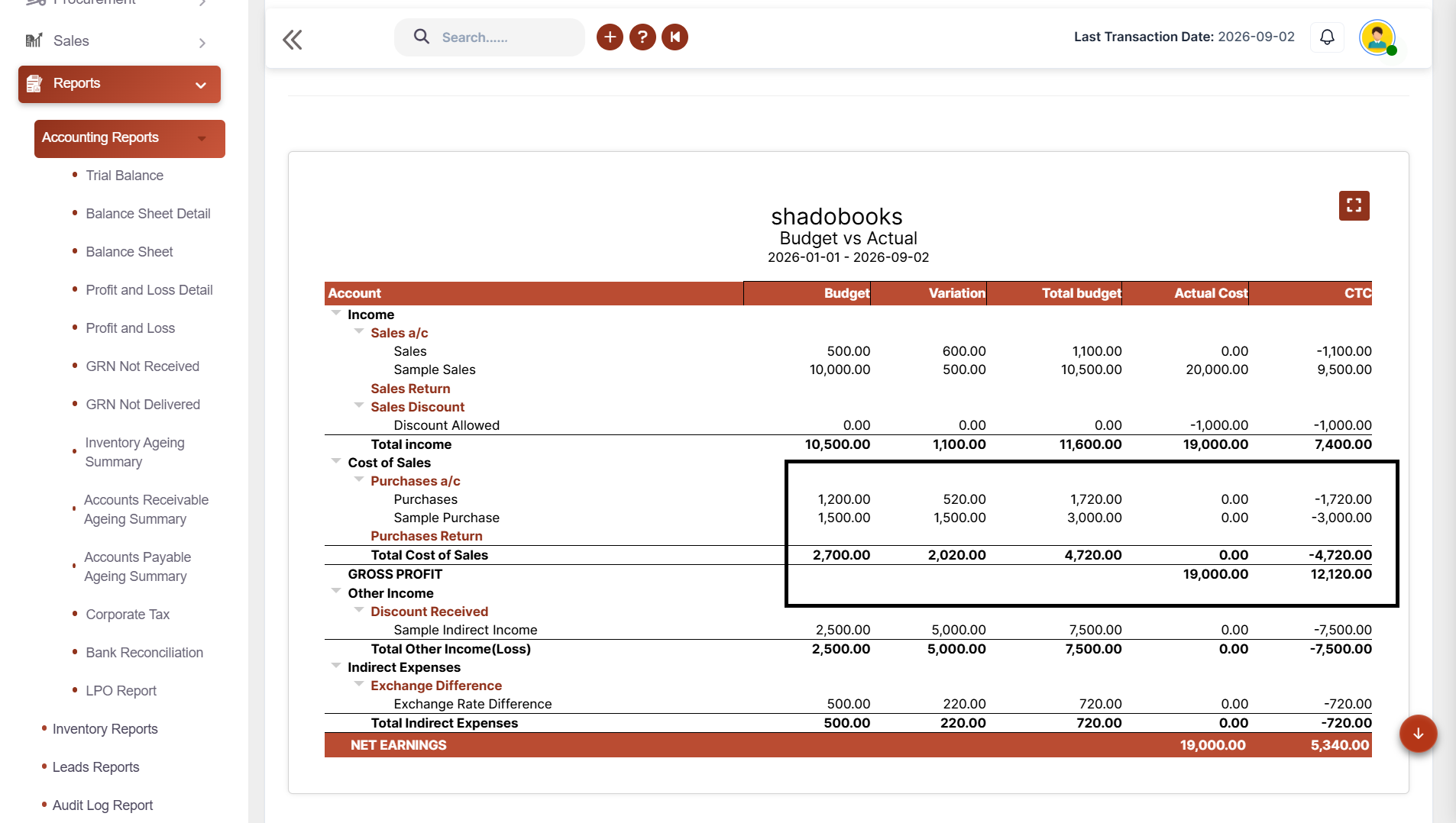
Sales Vs Budget
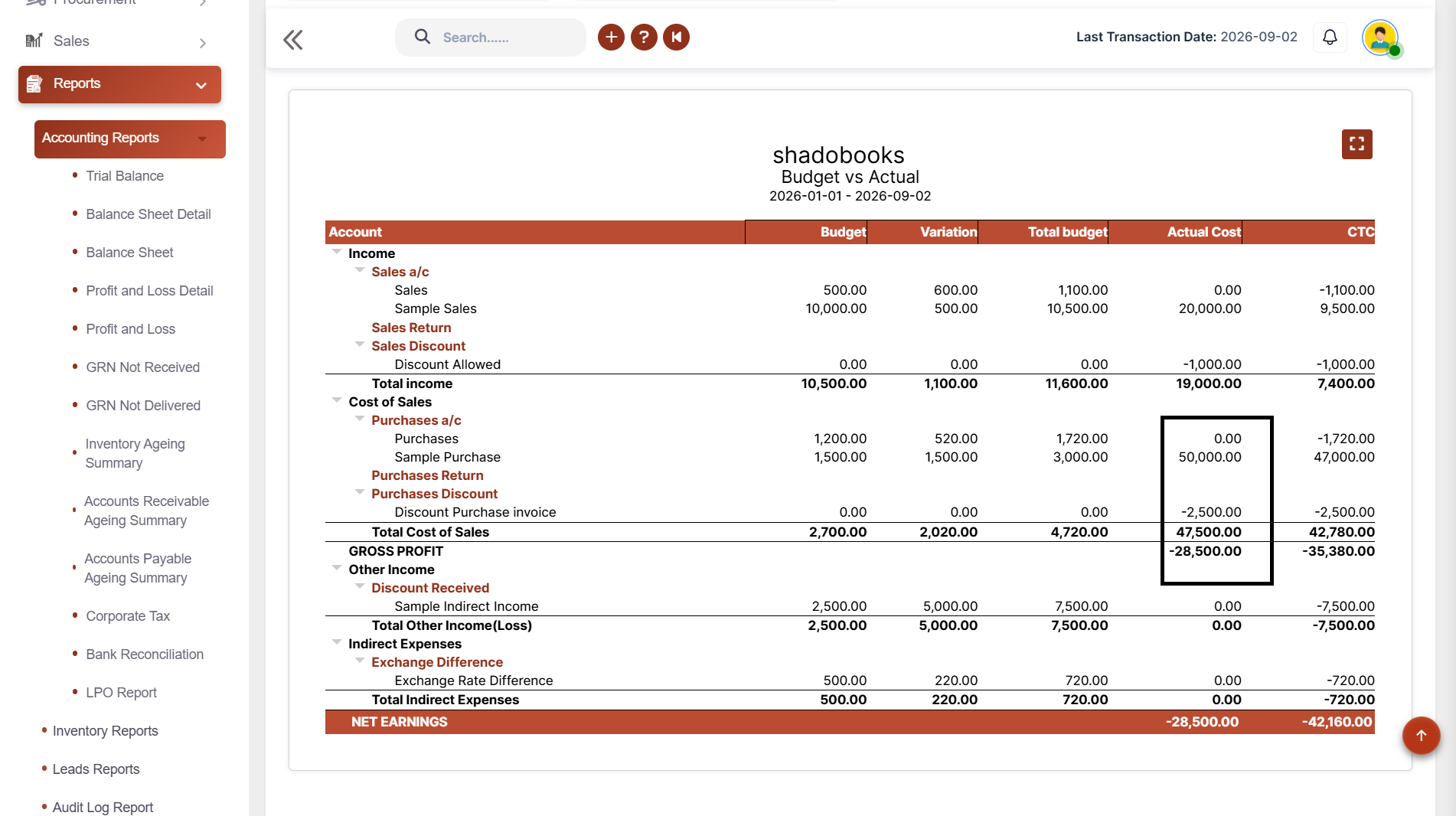
Purchase & Expense
Payments & Receipts
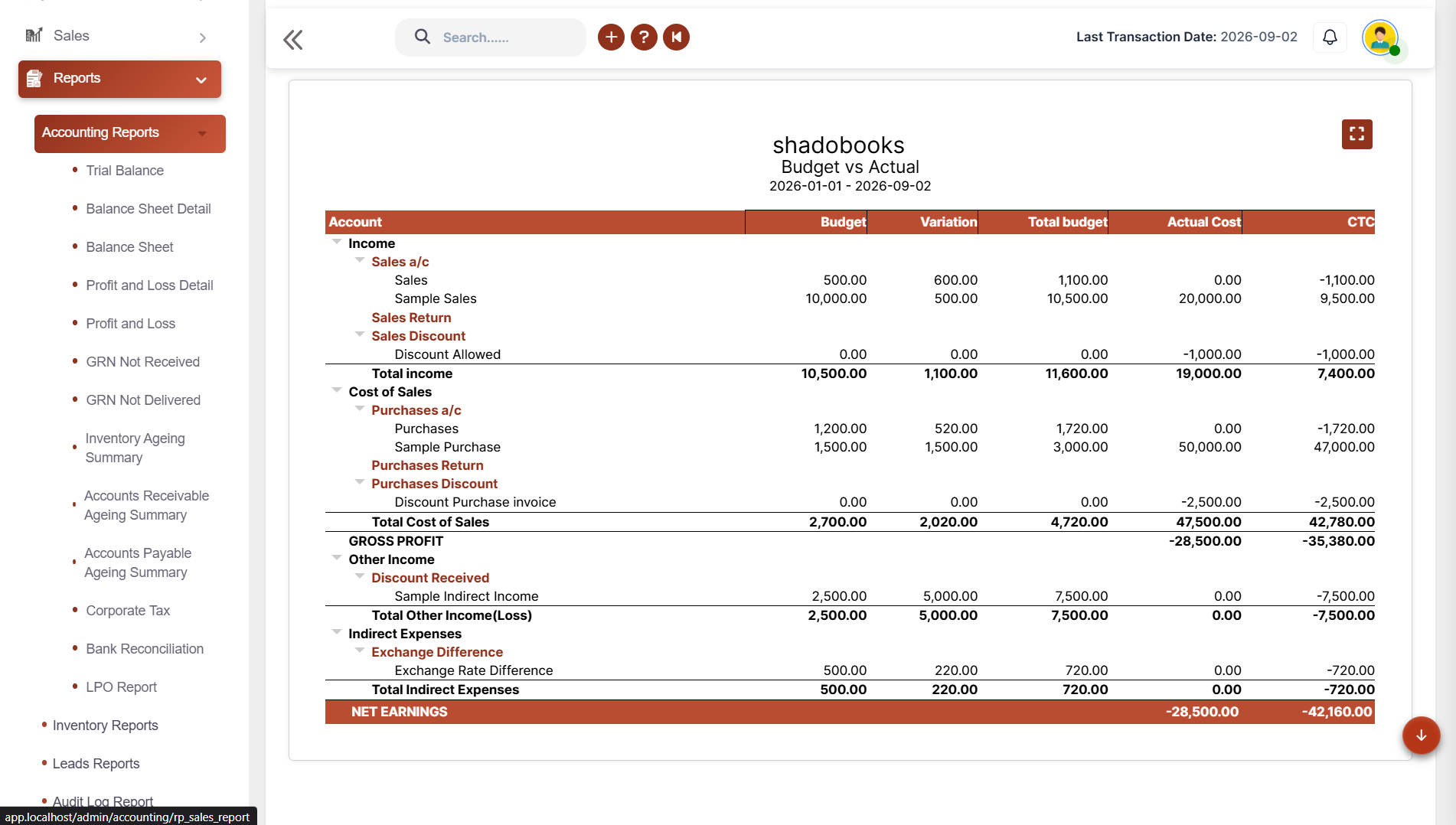
Actual Vs Budget
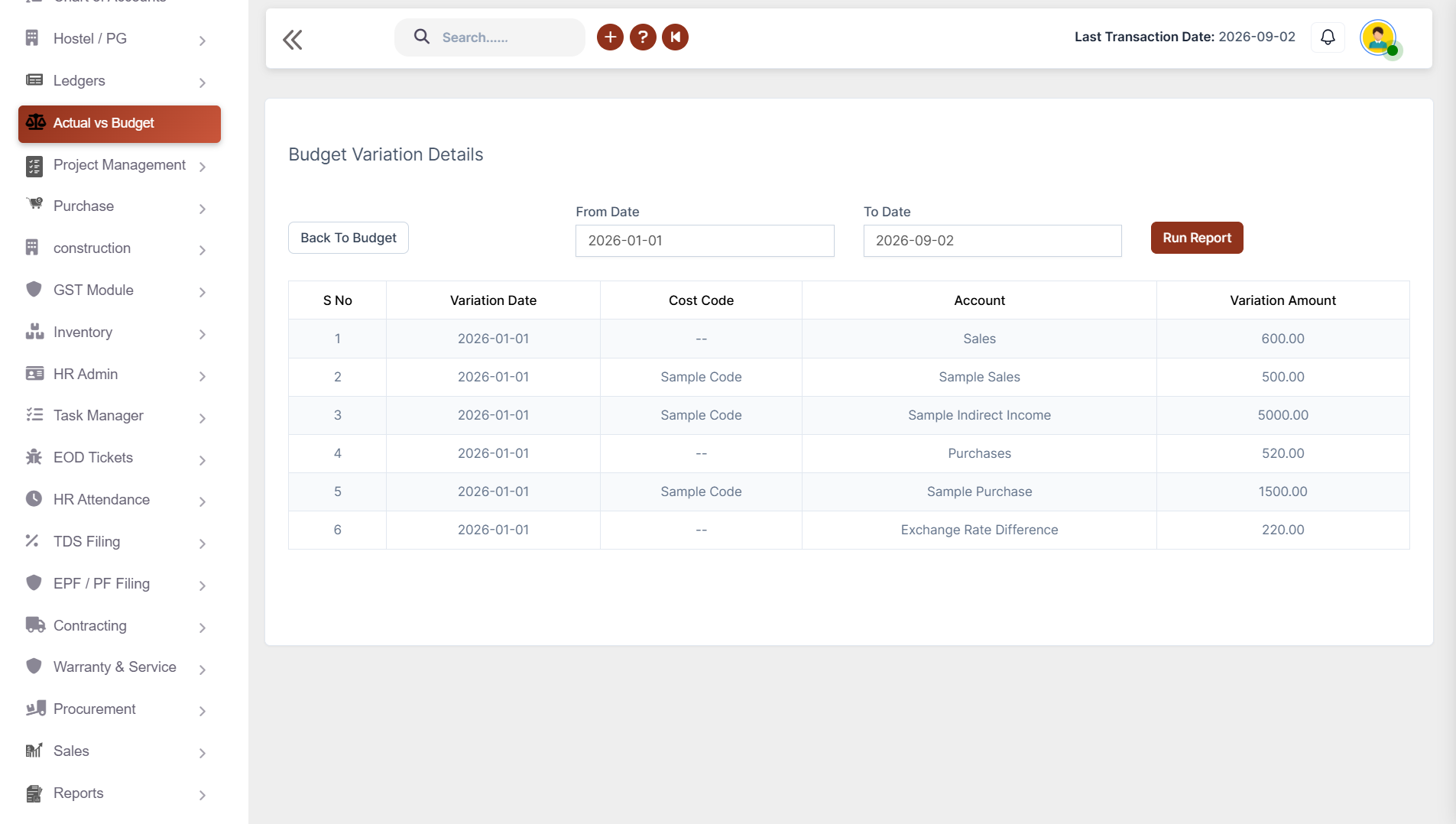
Variation Report
Build your financial plan the right way. No more manual errors, no more lost spreadsheets. Just a streamlined, accurate budget that's ready to track from day one.
Stay ahead of every financial change. Keep budgets updated when financial plans change by recording variations directly against the original budget.
Know If your revenue is on target. Automatically calculate actual sales against the relevant budget ledger whenever sales transactions are recorded.
Control every penny you spend. Monitor actual purchases and expenses against their respective budgeted ledger values.
Complete financial visibility at every step. Track actual payments and receipts against budget-created ledgers.
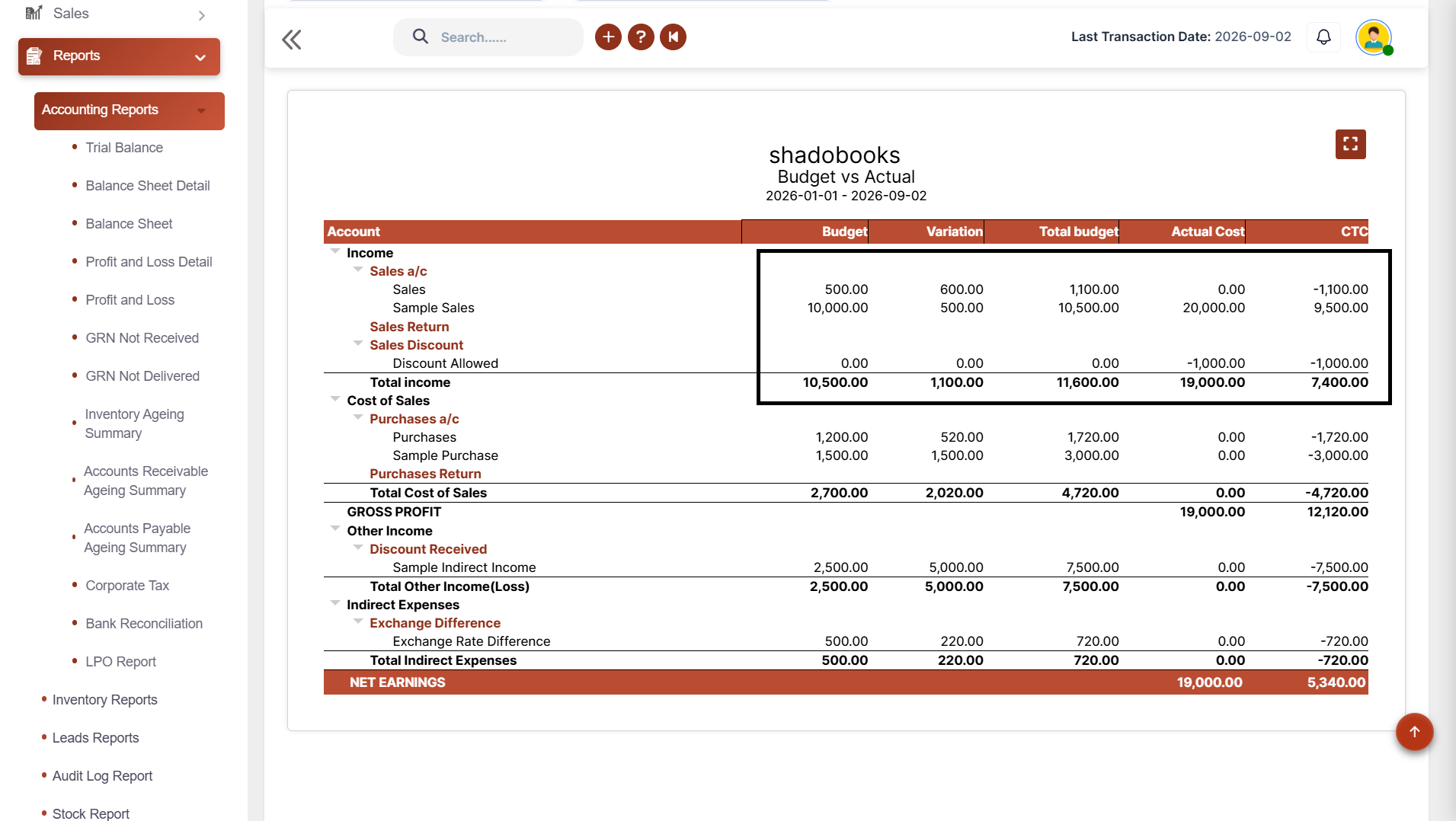
Your ultimate financial performance snapshot. Get a clear comparison between planned budgets and actual financial performance across relevant accounts.
Pinpoint financial changes with precision. Understand exactly when and where budget changes occurred.
Reduce the amount of time spent typing invoices, entering bills, creating customers, and navigating accounting screens.
Get a clearer understanding of planned budgets, actual costs, and budget variations to support more realistic financial planning.
Monitor spending across sales, purchases, expenses, payments, and receipts to maintain better control over where company money is being used.
Keep a clear record of budget changes, including variation dates, accounts, cost codes, and amounts, making financial reviews more transparent.
See whether actual financial activity is performing above, below, or in line with the planned budget and identify areas that require attention.
Instead of comparing separate spreadsheets and transaction records, bring budget and actual figures together for easier management review.
Invoice Scanner
Task Manager
Shadobooks WorkTrack
Shadobooks ERP
Shado Browser
Sign up with your email address and create your Shadobooks account securely.
Confirm your email address to activate your account to ensure secure access.
Set up your company profile, business details, logo, and personalized subdomain.
Configure business-specific settings to match your operational requirements.
View your accounting, financial, operational, and Tax reports in one place.
Our support team is available 24/7 to assist you whenever you need help.
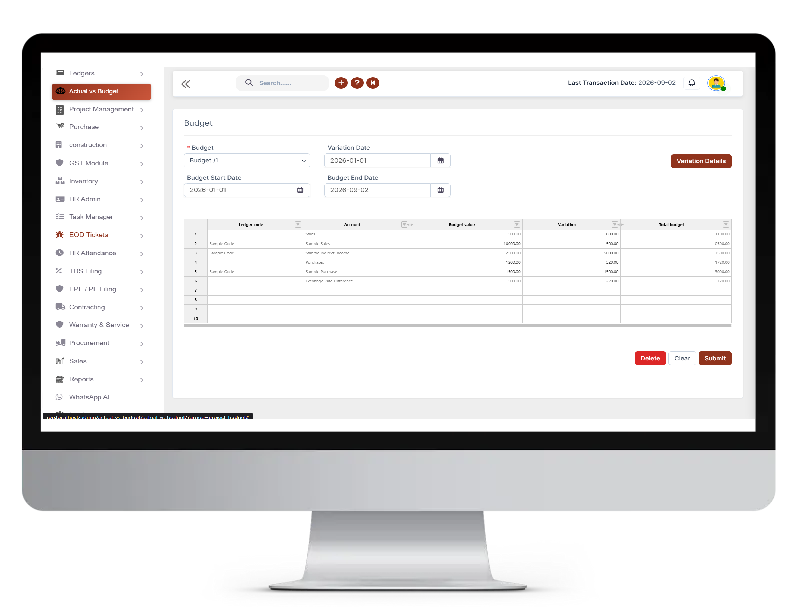
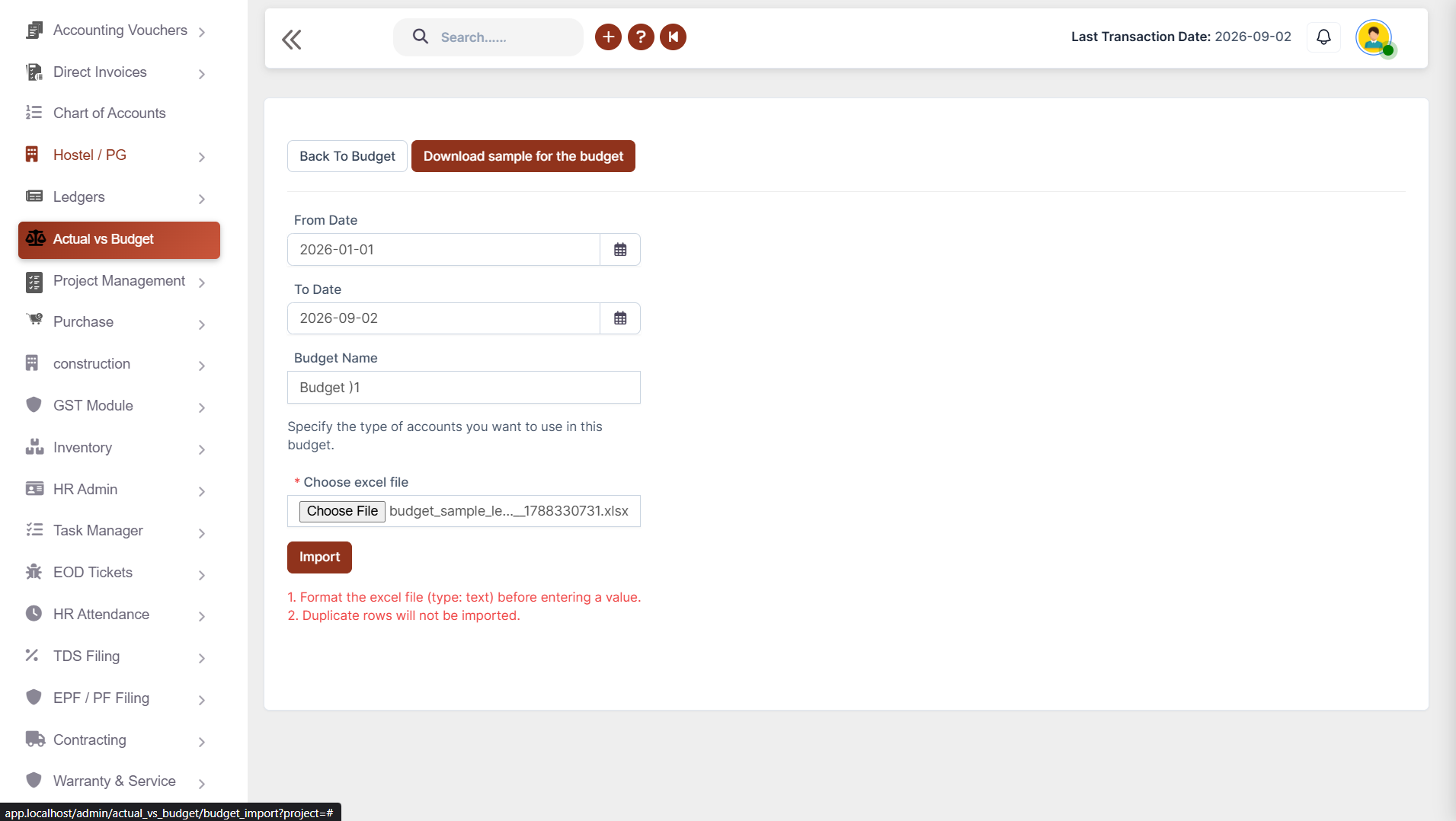
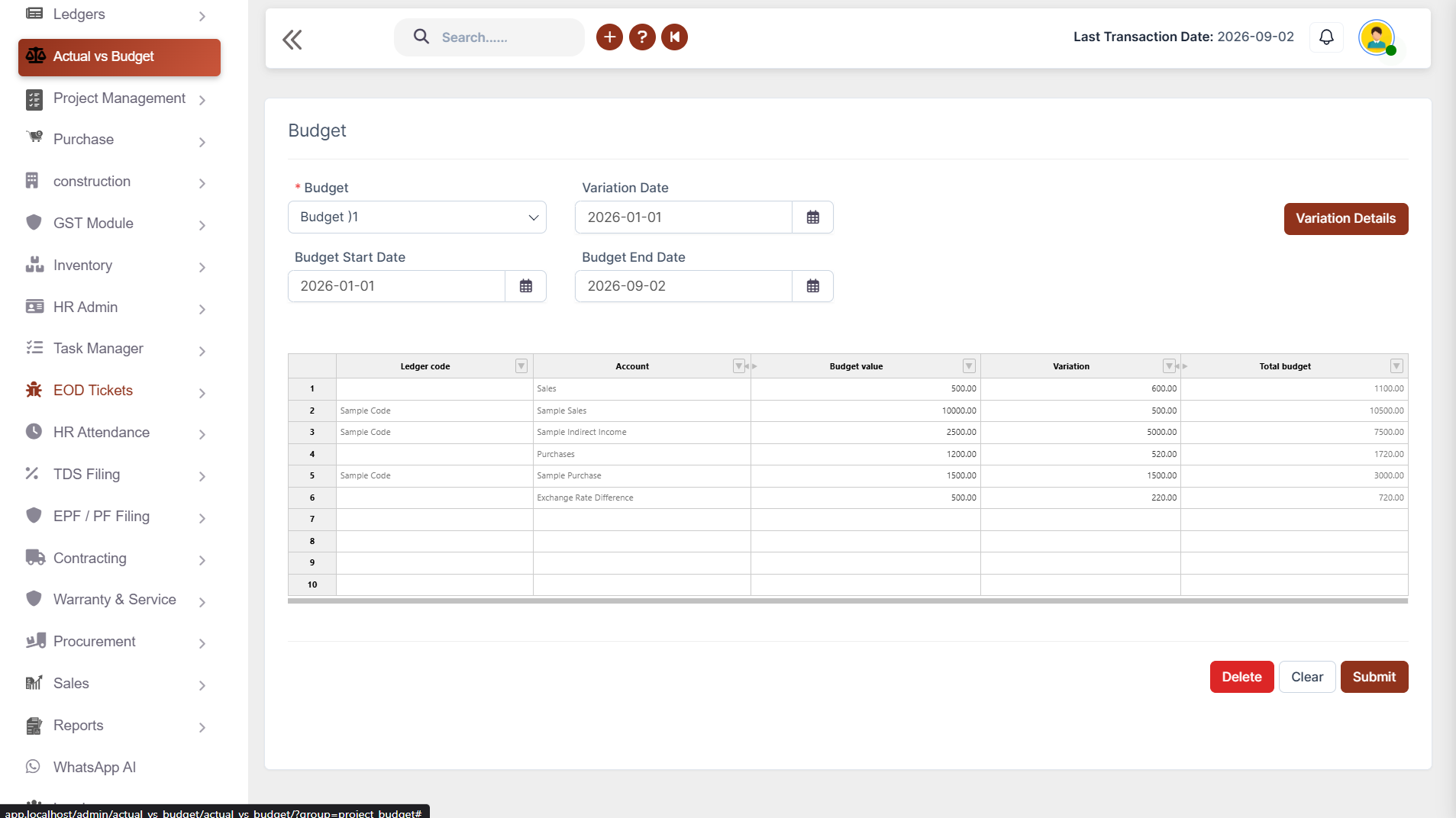
Users download a pre-formatted budget template, set the required date range, enter the budget name, and populate the template with relevant ledger codes and budget figures. Once complete, the file is imported back into the system, which automatically organizes the data into a table containing fields like ledger code, account, budget value, variation, and total budget.
A budget variation refers to any change or adjustment made to an existing budget. In Shadobooks ERP, variations can be added directly to the system whenever a budget changes. The total budget is then automatically updated to reflect the variation. A dedicated Variation Report can also be generated separately, with date-wise filtering to track when and where changes occurred.
Whenever a sale is recorded in Shadobooks ERP against a budget creation ledger, the system automatically calculates and updates the actual sales figure. This means finance teams and business owners can see in real time whether sales performance is tracking in line with the budgeted target.
Absolutely. Every purchase and expense entered against a budget creation ledger is automatically calculated as an actual cost and reflected in the budget comparison. This gives procurement and finance teams immediate visibility into spending against the budget, helping to prevent overspending and improve overall cost management.
The Actual Vs Budget Report includes the following key fields: account, budget, variation, total budget, actual cost, and CTC (Cost to Company). It offers flexible filtering options - both date-wise and budget-wise - and can be viewed on screen, downloaded, printed, or exported in PDF or Excel formats for easy sharing and analysis.
The Variation Report includes variation date, cost code, account, and amount for every budget adjustment recorded in the system. It supports date-wise filtering, making it easy to analyse changes over specific time periods. Like other Shadobooks reports, it can be viewed, downloaded, printed, and exported in both PDF and Excel formats.
Whenever a payment or receipt is recorded against a budget creation ledger, the system automatically calculates the actual payment or receipt figure and updates the budget comparison accordingly. This provides businesses with a real-time view of cash flow against the budget, supporting better liquidity management and financial planning.
CTC stands for Cost to Company - a key financial metric that represents the total actual cost incurred by the company against a particular budget. In the Actual Vs Budget Report, CTC is calculated automatically based on all actual transactions recorded against the relevant ledgers, giving management a clear understanding of the true financial cost of operations against the planned budget.
The Financial Shadow of your Company