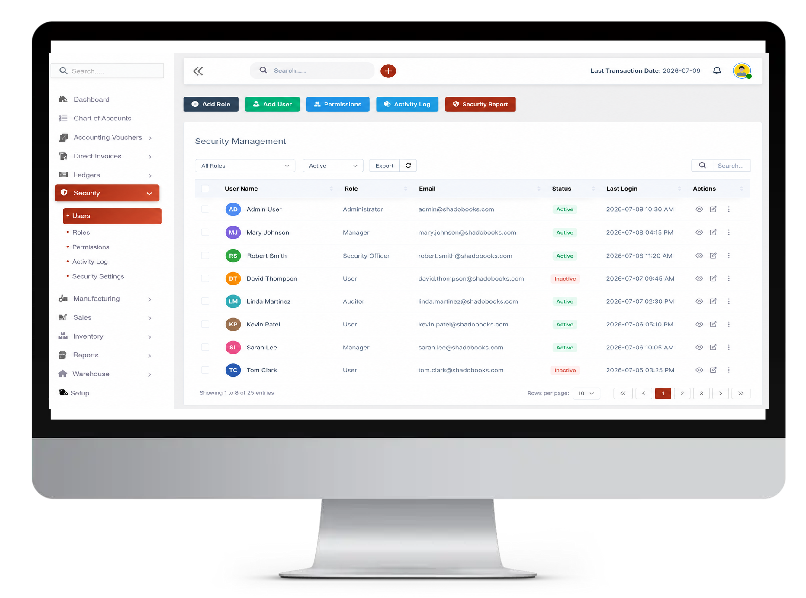
Our ERP security management system is a cloud-secured infrastructure backed by ISO 27001 certification, protecting every byte of business data. Whether managing a growing team or scaling client operations, this security system ensures stronger protection, better accountability, and complete peace of mind — every single day.
Two-factor authentication
Role-based permissions
Monitor sessions & devices
Protect business data
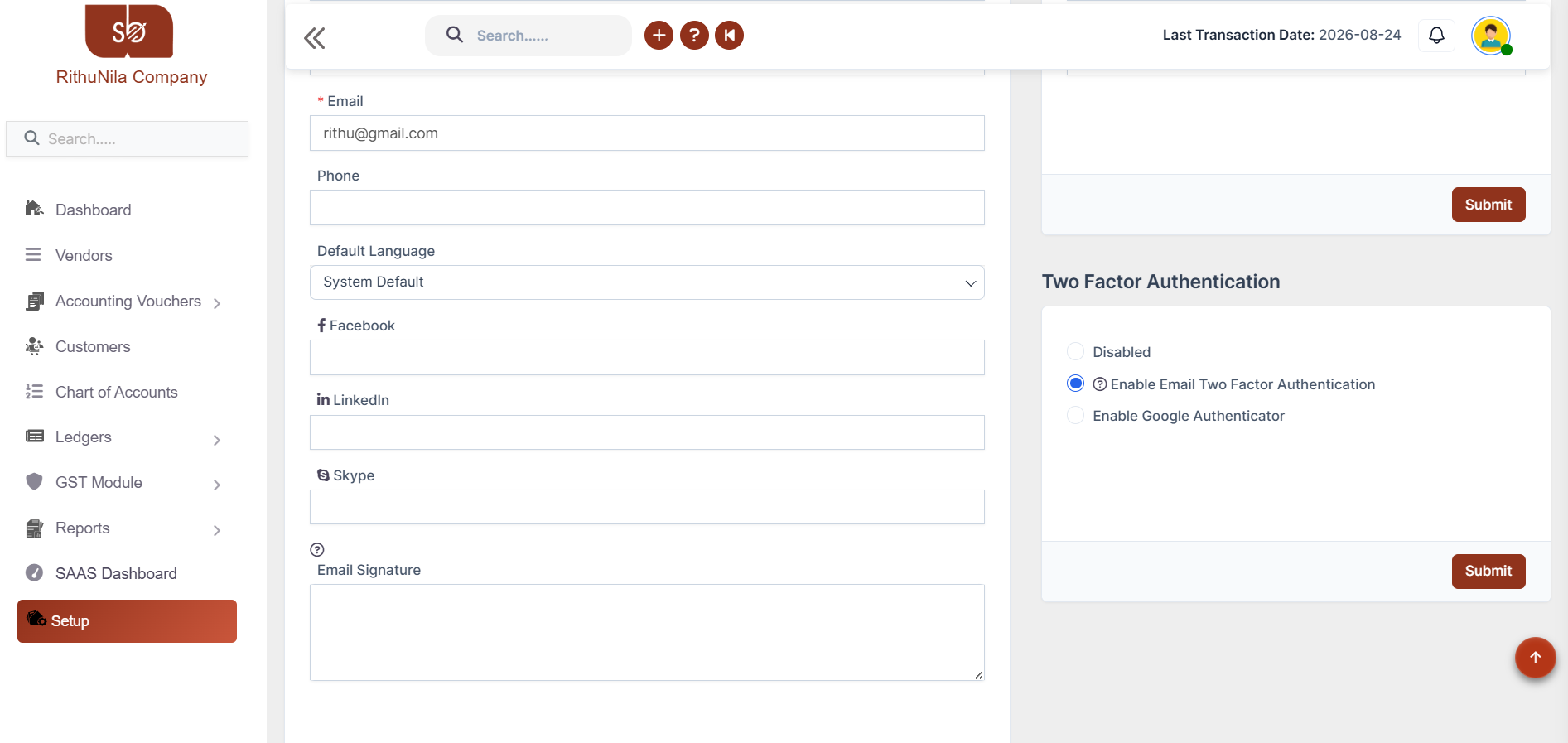
Two-Factor Authentication
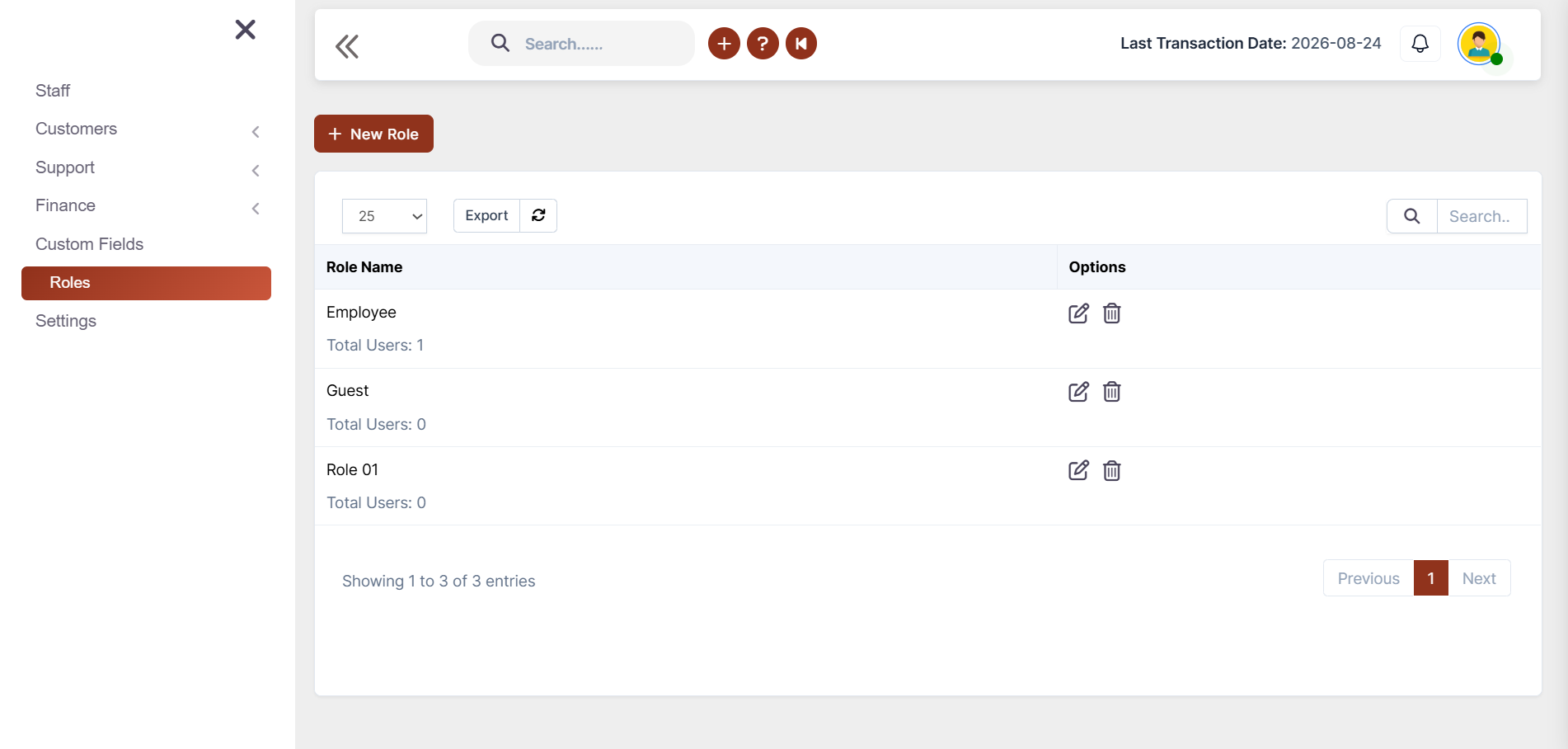
Staff Permissions
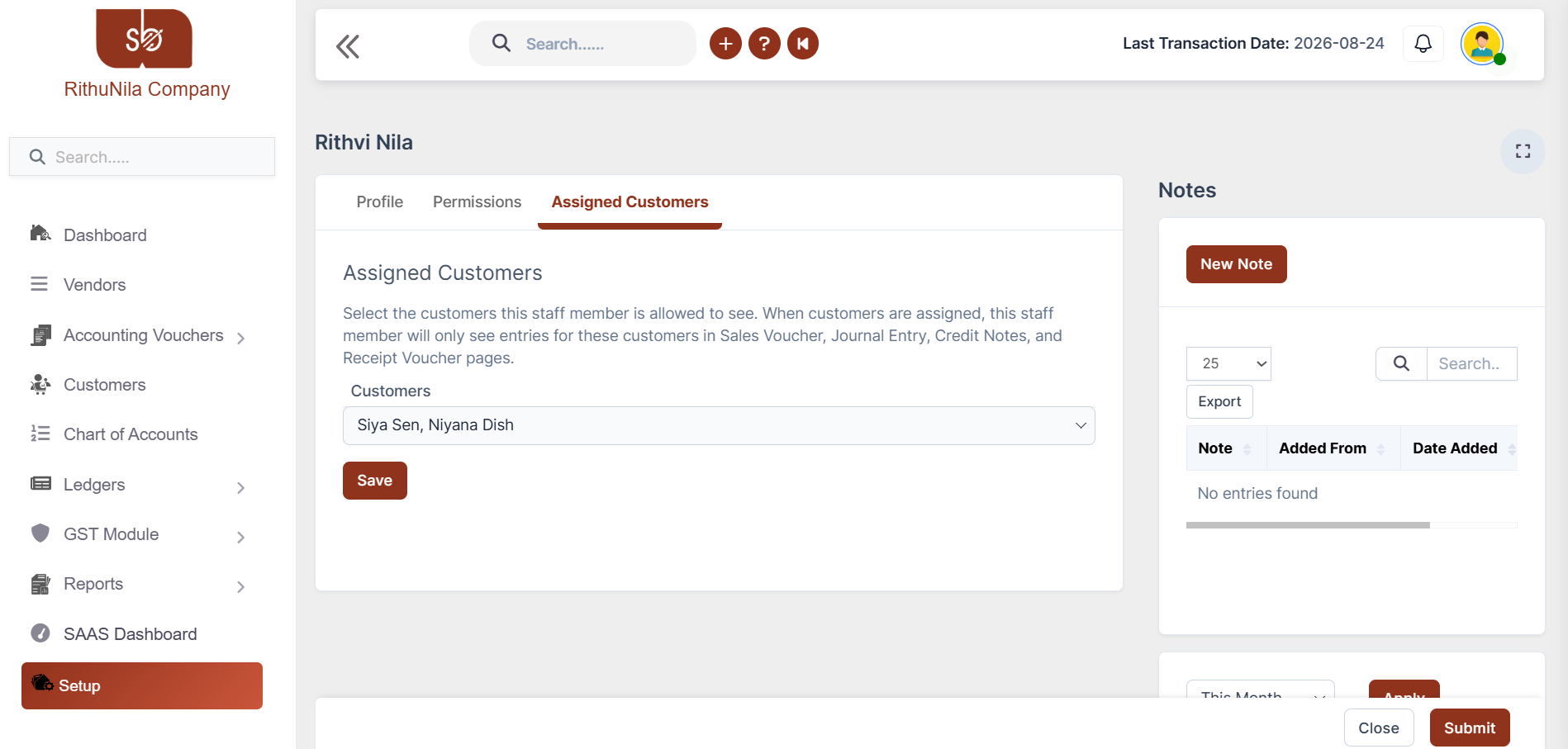
Customer-Based Staff
Staff, Vendor & Client Portal
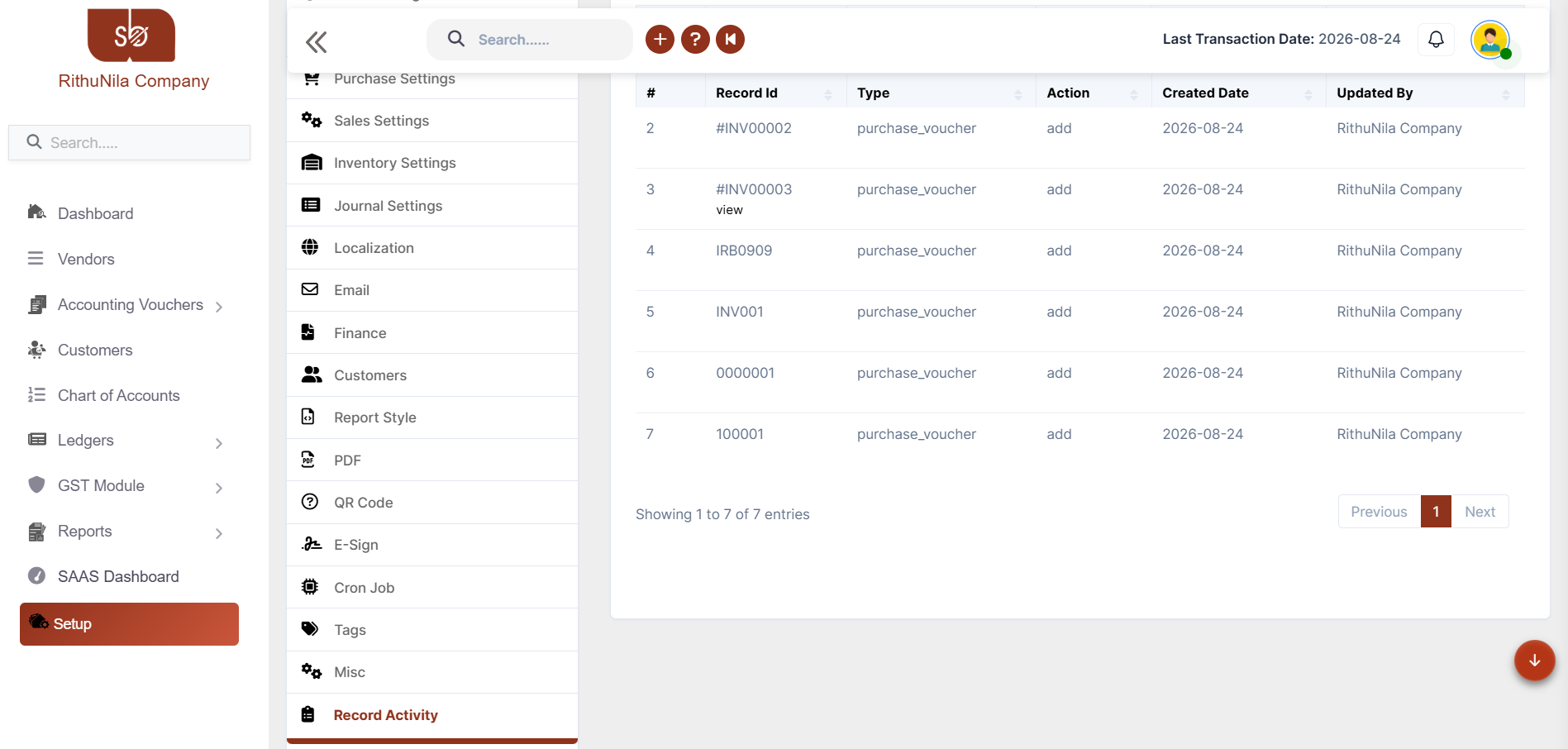
Entry Record Activity
Login Activity
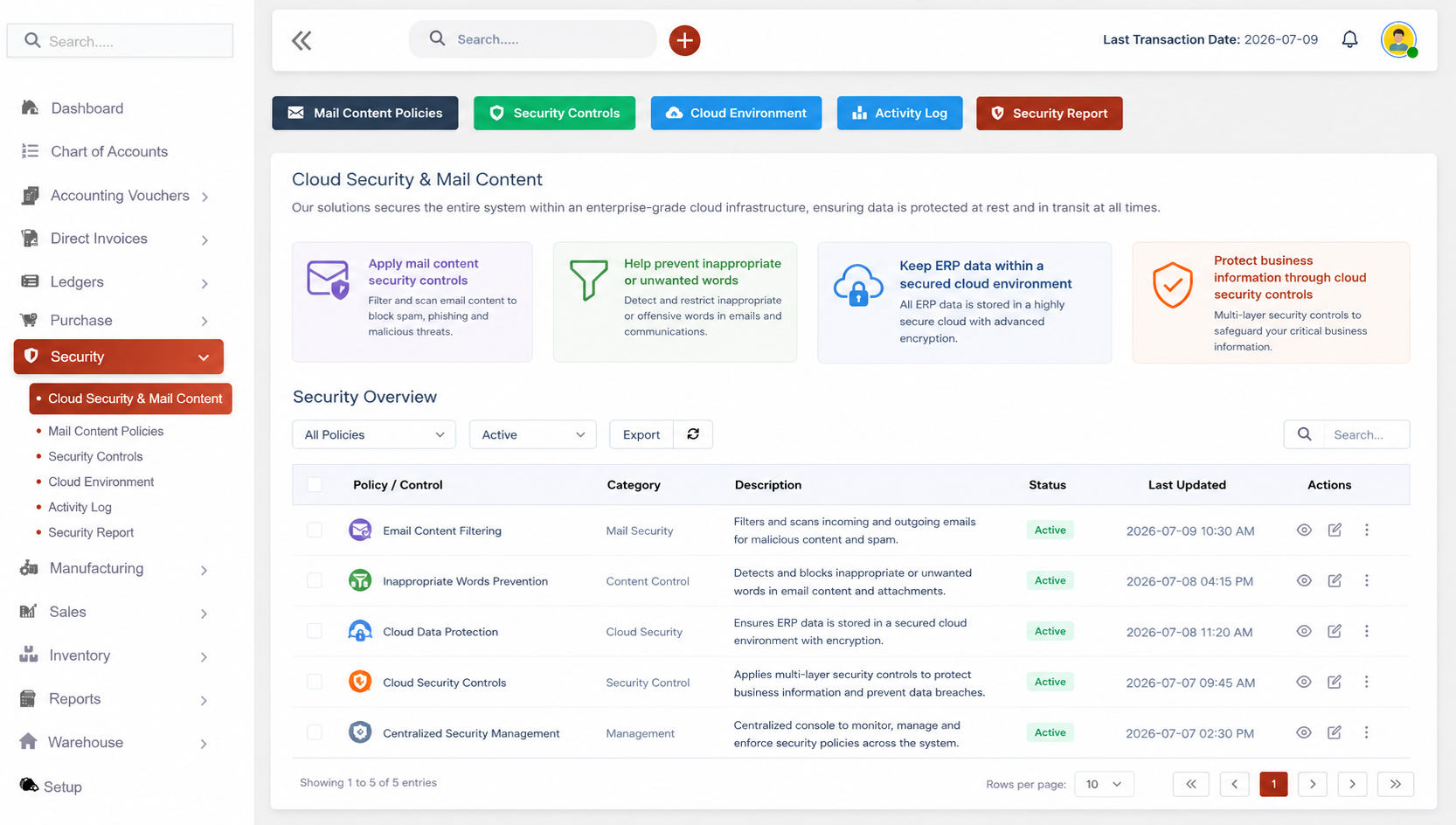
Security & Mail
Admins can restrict login access, so staff can only log in from the company's location and only within designated time windows.
No more worrying about employees peeking at accounts they have no business seeing. Every team member will work within their designated lane.
Gives each staff member a dedicated, personalized workspace tailored to their assigned modules, tasks, and customer accounts.
Shadobooks Portals gives every client their own secure, private space where they can log in and access exactly what's relevant to them.
Administrators can review activity details when they need to understand what happened to a particular record.
Know exactly who's in your system. Monitor how users access the ERP with detailed login and session information.
Our solutions secures the entire system within an enterprise-grade cloud infrastructure, ensuring data is protected at rest and in transit at all times.
Two-factor authentication, login restrictions, and role-based permissions provide multiple levels of access control.
Customer records, financial information, and other ERP data can be restricted according to user roles and customer assignments.
Activity tracking allows administrators to see who performed an action and when it occurred.
Administrators can decide which modules employees can access, which customers they can work with, and when they can log in.
Clients and vendors can access their relevant information through their own separate portals.
Instead of managing access through separate systems, administrators can manage roles, permissions, etc from our ERP environment.
Invoice Scanner
Task Manager
Shadobooks WorkTrack
Shadobooks ERP
Shado Browser
Sign up with your email address and create your Shadobooks account securely.
Confirm your email address to activate your account to ensure secure access.
Set up your company profile, business details, logo, and personalized subdomain.
Configure business-specific settings to match your operational requirements.
View your accounting, financial, operational, and Tax reports in one place.
Our support team is available 24/7 to assist you whenever you need help.
Two-Factor Authentication (2FA) is a security process that requires users to verify their identity through two separate methods before gaining access - typically a password combined with either an email code or a Google Authenticator code. The ERP system needs it because passwords alone can be stolen, guessed, or phished. With 2FA enabled, even if someone has the password, they still can't get in without that second verification step. It's one of the most effective ways to block unauthorized access and is strongly recommended for any system handling sensitive business data.
Absolutely. The system allows admins to configure location-based access restrictions, meaning staff members can only log into the ERP from within the company's approved location. Any attempt to log in from an external or unrecognized location will be blocked. This dramatically reduces the risk of unauthorized access from personal devices, public networks, or off-site locations.
Admins can set specific time windows during which staff members are permitted to log in. For example, if business hours are 9 AM to 6 PM, the system can be configured so that no login is possible outside those hours. This means even if a staff member has valid credentials and two-factor authentication set up, they simply cannot access the system outside their designated working hours.
The admin first creates a role (such as Sales Staff, Accounts Manager, or Support Agent), then creates staff profiles and assigns them to that role. Each role is then given precise permissions — create, edit, delete, or view — for each specific module in the ERP. This ensures every staff member can only interact with the parts of the system that are relevant to their responsibilities.
No — and that's intentional. When an admin assigns specific customers to a staff member, those customer records, interactions, and activity details are only visible to that assigned staff member. Other team members have no visibility into those accounts whatsoever, protecting client data privacy and ensuring clean accountability across the team.
The Account Login Activity monitor records: session ID, user ID, user type, IP address, browser used, operating system, device type, login time, last activity timestamp, and session status. This gives admins complete visibility into how, when, and from where the ERP is being accessed - making it easy to identify unusual or suspicious login behavior quickly.
The Mail Content Security feature scans email communications for unwanted, harmful, or sensitive words and content. If a message contains flagged content, it gets filtered before it can cause damage — whether that's a data leak, inappropriate communication, or a potential phishing attempt. It acts as an intelligent content filter that keeps business communications clean, secure, and compliant.
Yes. Shadobooks ERP Solutions holds ISO 27001 certification, which is the internationally recognized standard for information security management systems. This certification confirms that the platform follows rigorous protocols for securing data, managing risks, and maintaining the confidentiality, integrity, and availability of all business information stored within the system.
The Financial Shadow of your Company