Every Purchase. Perfectly Managed.

Shadobooks Purchase Management Software for Smarter Procurement

Our Purchase Management Software is built for businesses to take control of their procurement operations. From the moment a purchase request is raised to the final payment receipt being printed, every single step is structured, automated, and trackable. Nothing slips through the cracks. Everything is where it's supposed to be.

Project Management Software
Vendors

Manage suppliers easily

Purchase Orders

Create orders faster

Goods Receipt

Update stock instantly

Payments

Track vendor payments

Purchase Management Software

Key Features of Shadobooks Purchase Management Software

item-management

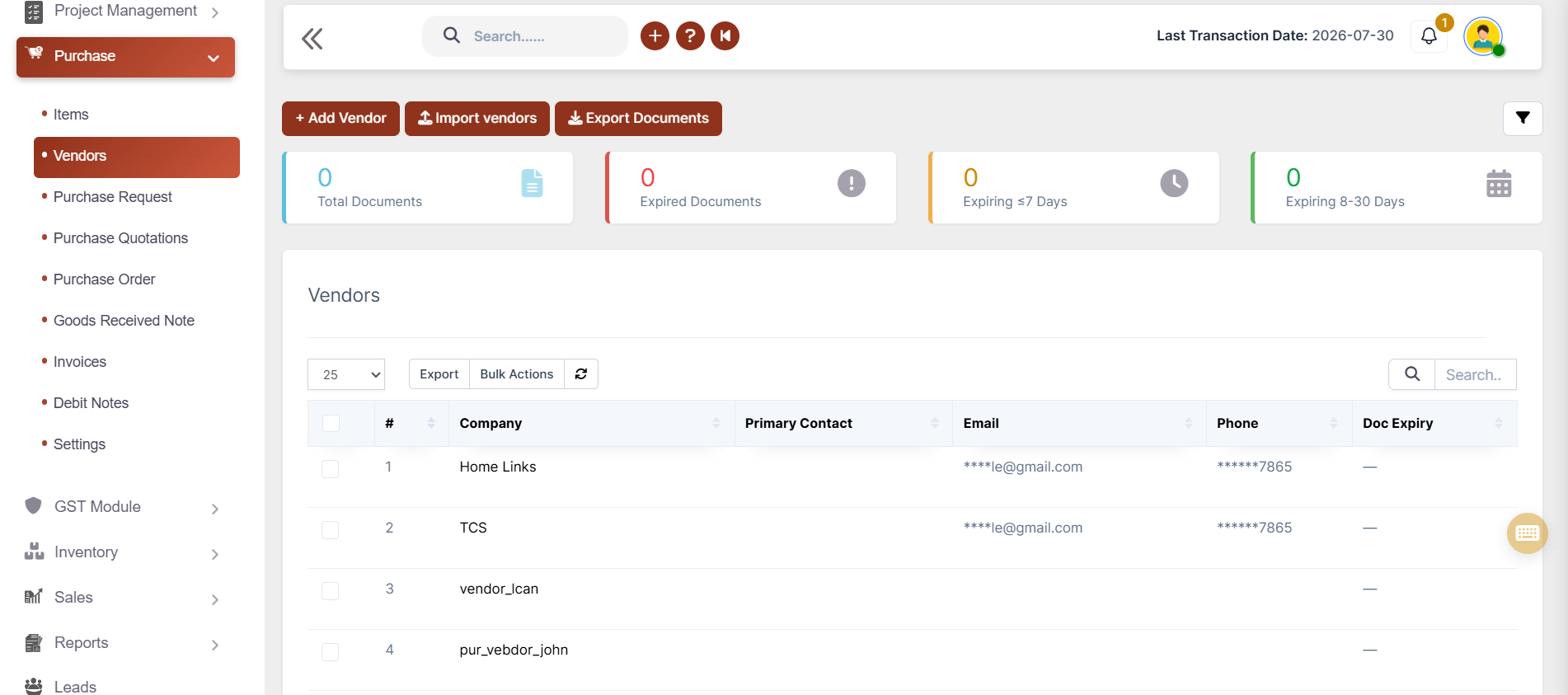
Vendor Management

purchase-request-management

Purchase Requests

purchase-request-and-order

Purchase Quotation

grn-management

GRN

invoice-processing

Invoice Processing

payment-management

Payments

debit-note-management

Debit Notes

Vendor Management Accounting Software

Vendor Management

Build, organize, and control your entire vendor network with complete purchase history.

βœ” Create and manage unlimited vendors
βœ” Import vendors in bulk
βœ” Vendor statement and vendor summary
βœ” Maintain multiple vendor contacts
βœ” Vendor Portal for seamless communication

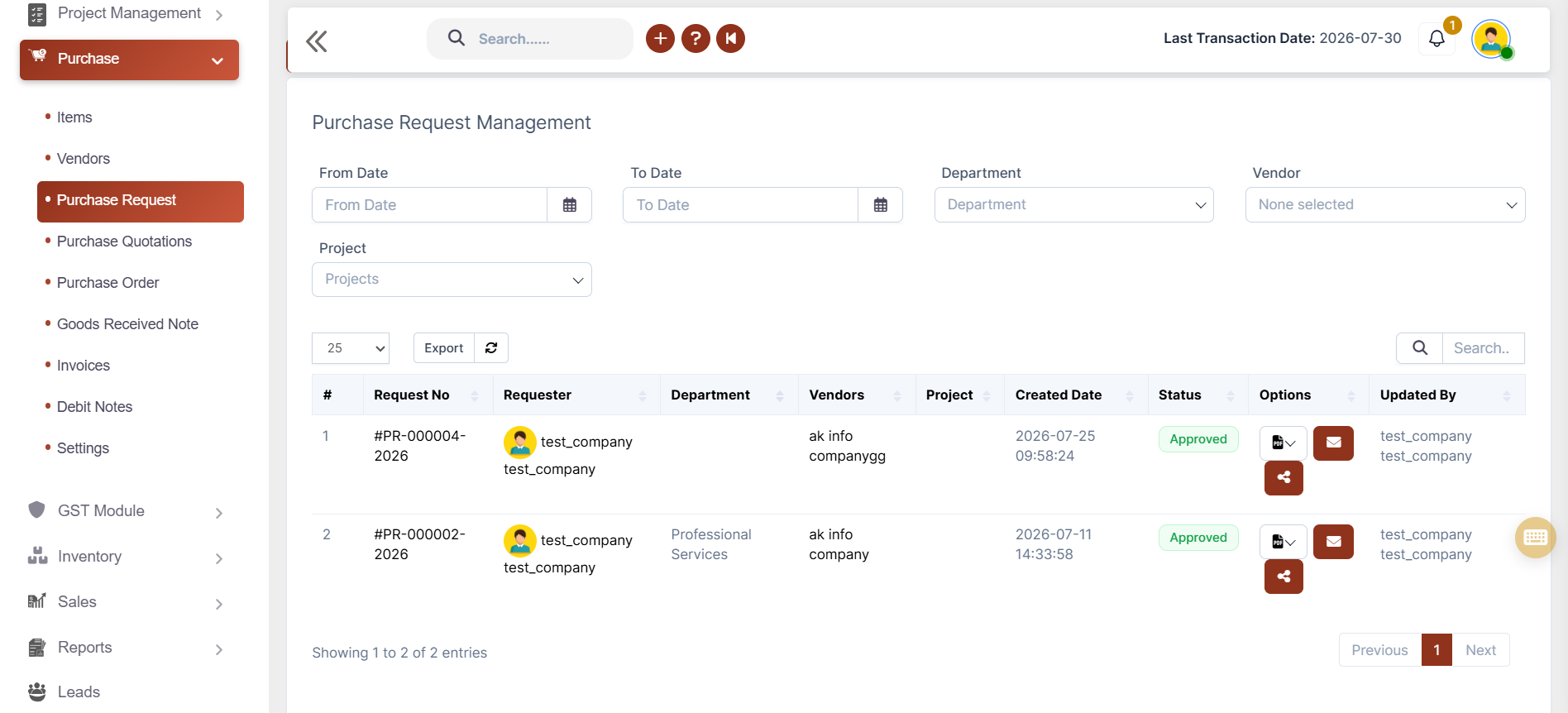
Purchase Request

Raise, track, and approve requests without the back-and-forth.

βœ” Generate purchase requests instantly
βœ” Auto/manual request numbering
βœ” Tax support
βœ” Attach supporting documents
βœ” Share requests via Email & WhatsApp
Purchase Request Management Accounting Software
Purchase Quotation &order Accounting Software

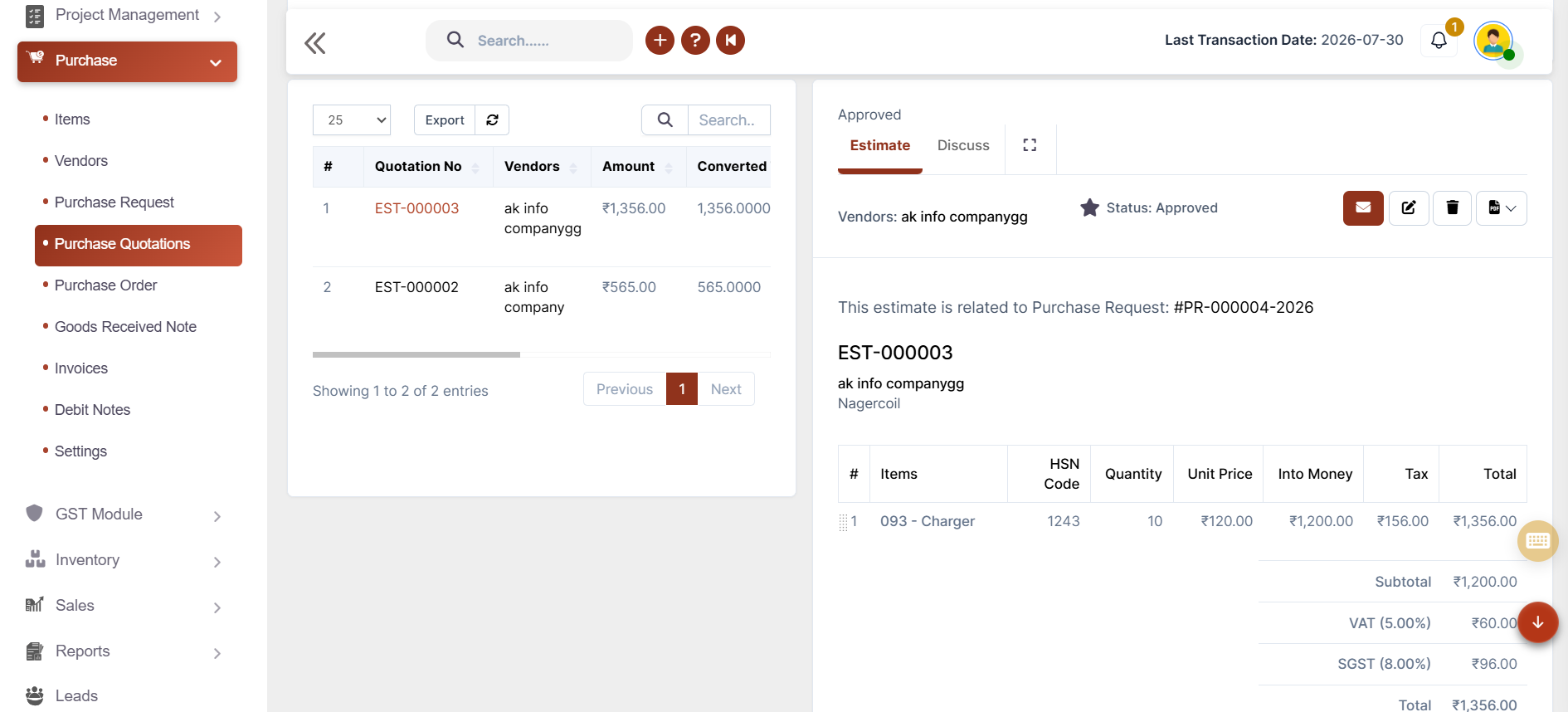
Purchase Quotation & Orders

Compare, select, and move forward faster, then place orders accurately and keep every stakeholder aligned.

βœ” Auto/manual quotation & PO numbering
βœ” Convert Purchase Request to Quotation
βœ” Convert Quotation to Purchase Order
βœ” Automatic tax & total calculations
βœ” Print, Email & WhatsApp sharing

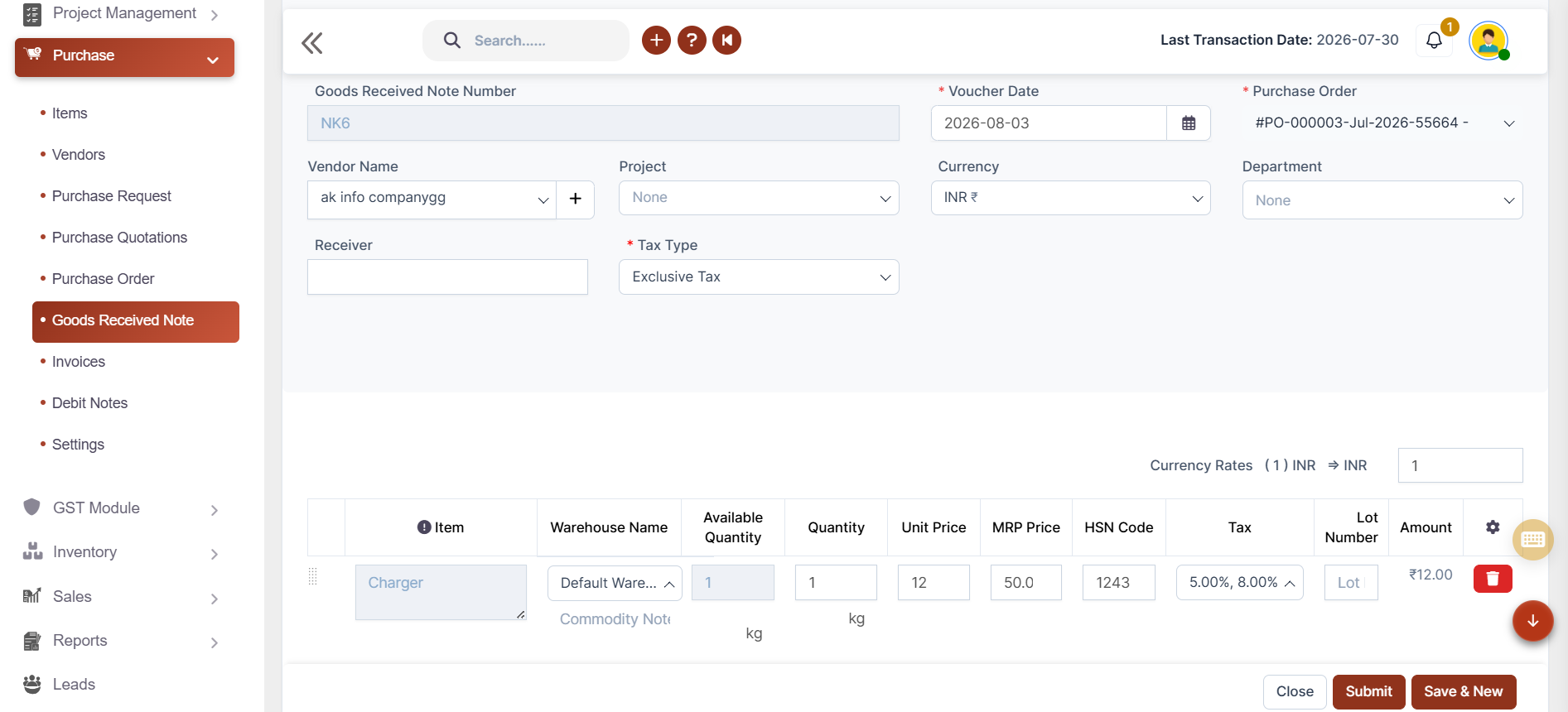
Goods Received Note (GRN)

Receive stock, update inventory, and keep records spotless.

βœ” Generate GRN from Purchase Order
βœ” Auto-populate purchase details
βœ” Automatic inventory updates
βœ” Select warehouse while receiving stock
βœ” Support multiple GRNs
GRN Accounting Software
Invoice Accounting Software

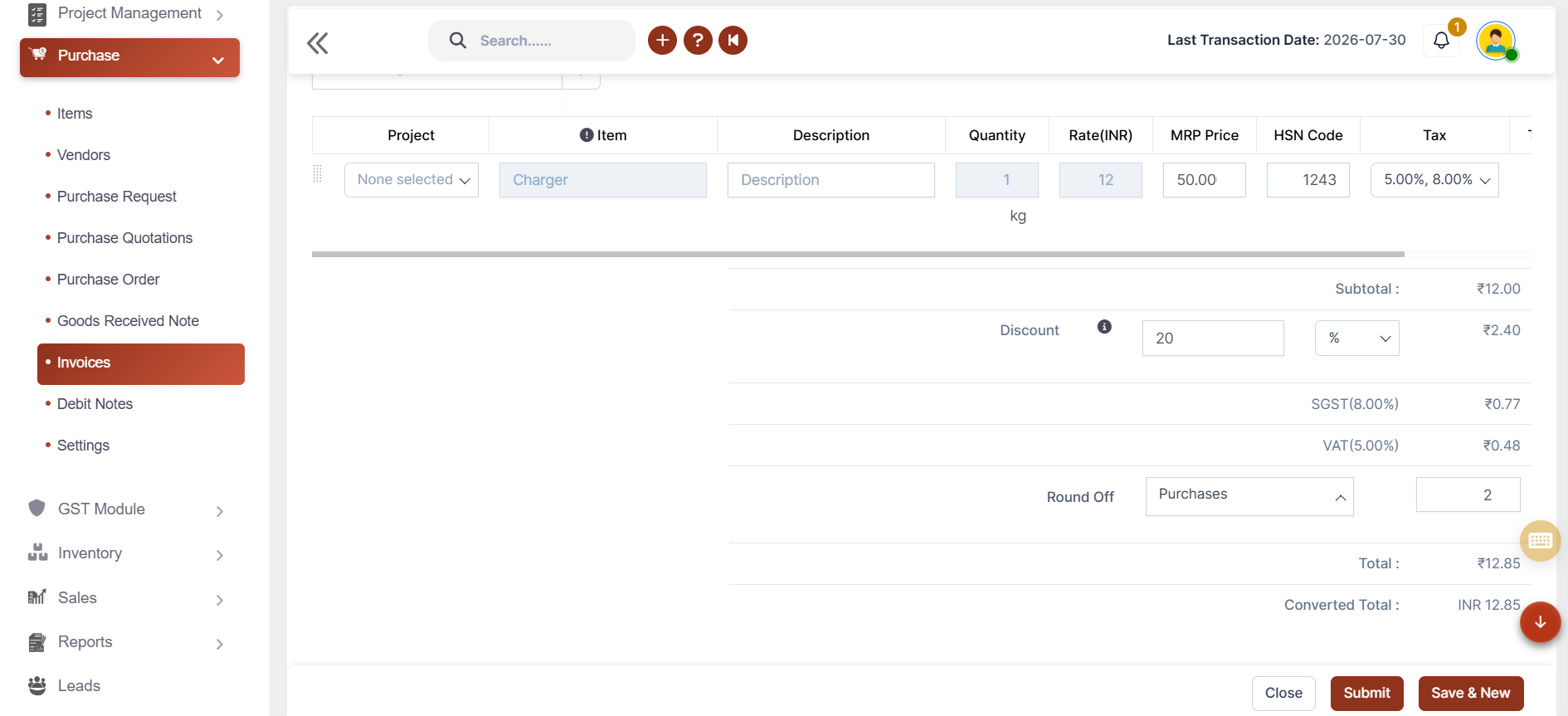
Invoice Processing

Combine multiple GRNs, automate accounting, and create tax related invoices faster.

βœ” Multiple GRNs into one invoiceΒ 
βœ” Auto/manual invoice numbering
βœ” Additional charges & round-off
βœ” Discount management
βœ” Invoice status tracking

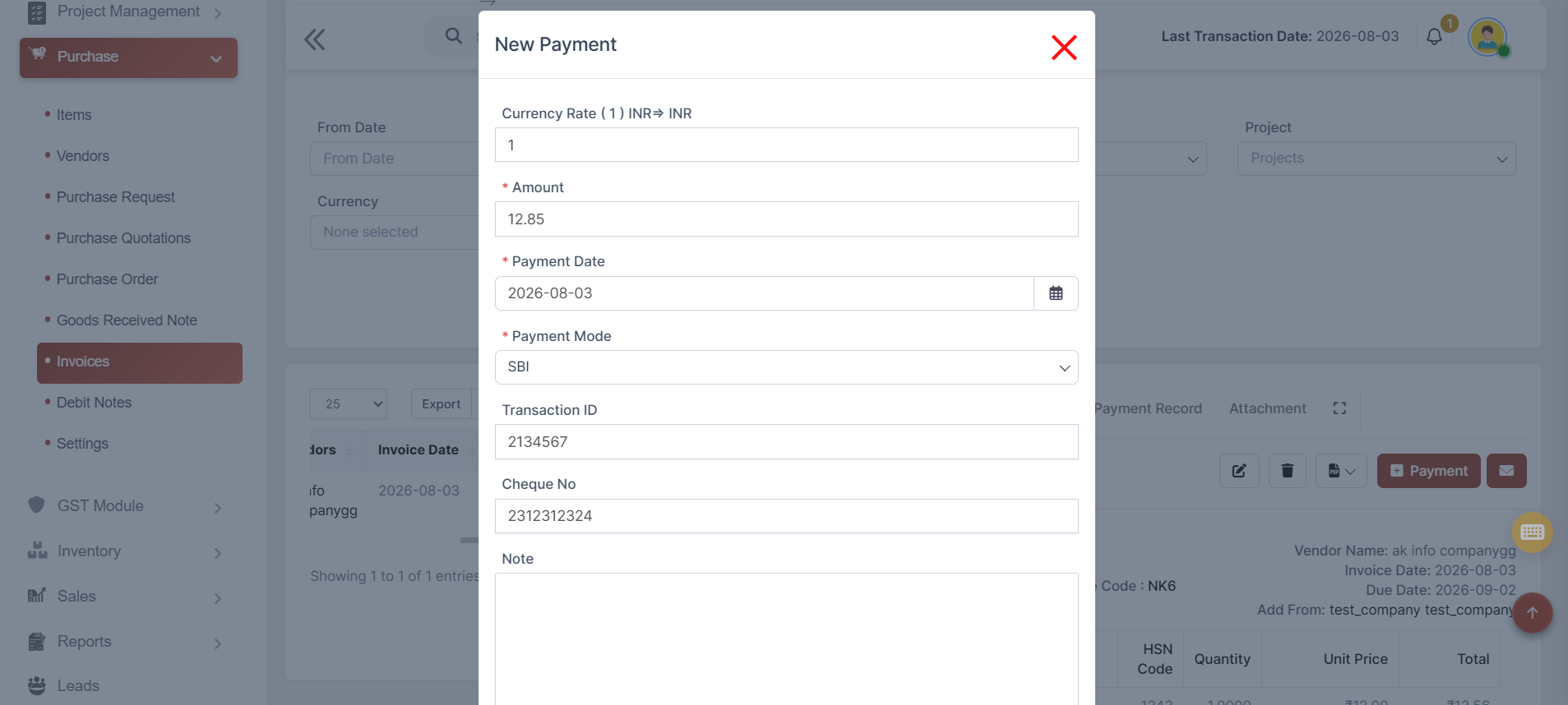
Payments

Pay vendors fast, buy smarter, and skip the paperwork. Manage supplier payments quickly and accurately.

βœ” Record full or partial vendor payments
βœ” View outstanding and balance instantly
βœ” Manage multiple payment modes
βœ” Enter cheque & transaction ID
βœ” Auto-update accounting reports
Payment Accounting Software
Debit Note Accounting Software

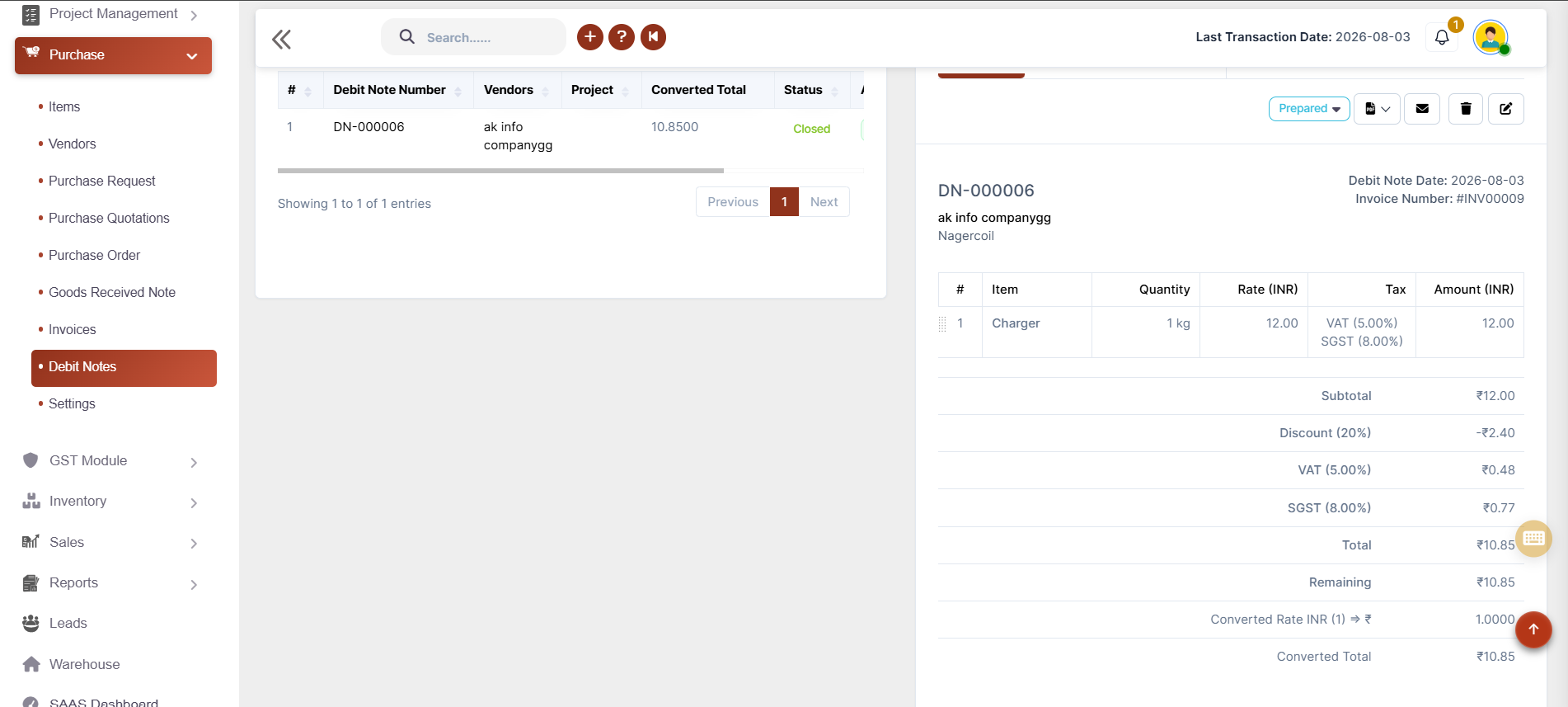
Debit Notes

Returns happen - and Shadobooks handle them with the same precision as every other procurement process.

βœ” Create debit notes from purchase invoices
βœ” Auto-populate invoice details
βœ” Adjust return quantity and discounts
βœ” Attach supporting documents
βœ” Auto - update inventory & accounting reports
Purchase Management Software

Advanced Procurement Reports

βœ” Payable Ageing Detail Report
βœ” Product Inward Report
βœ” Item-wise Purchase Report
βœ” Product-wise Purchase Report
βœ” Total Purchase Report
βœ” Purchase Outstanding Report
βœ” Supplier Payment Report
βœ” Payable Ageing Summary
βœ” Purchase GST Summary Report
βœ” Purchase Movement Analysis
βœ” Goods Receipt Note (GRN) Report
βœ” Debit Note Report
βœ” Purchase Trend Charts

Benefits of Using Shadobooks Purchase Management Software

Auto-populated document chains

From purchase request to invoice - data entered once, flows everywhere.

Real-time inventory updates

Trigger automatically every time a GRN is submitted and approved.

Instant accounting impact

Invoices, debit notes, and payments all update financial ledgers and reports at the moment they are submitted.

Direct purchase billing

Create invoices instantly without following the quotation and goods receiving process.

Tax-compliant procurement

Generate Tax-ready purchase documents and tax calculations while simplifying compliance and audits.

Improve vendor relationships

Maintain complete vendor records, payment history, and communication from one centralized platform.

Shadobooks Apps - Download Free from Google Play

Invoice Scanner
Task Manager
Shadobooks WorkTrack
Shadobooks AI
Shadobooks
Shadobooks ERP
Shado Expense Tracker
Shado Browser
Attendance Tracker
Shadobooks Apps

How to get Started with Shadobooks ERP Solutions

1

Create your
company

Sign up with your email address and create your Shadobooks account securely.

2

Verify your
email

Confirm your email address to activate your account to ensure secure access.

3

Create your
company

Set up your company profile, business details, logo, and personalized subdomain.

4

Configure
essentials

Configure business-specific settings to match your operational requirements.

5

Explore reports and insights

View your accounting, financial, operational, and Tax reports in one place.

6

Get instant
support

Our support team is available 24/7 to assist you whenever you need help.

Frequently Asked Questions

Every procurement document - purchase requests, quotations, orders, GRNs, invoices, and debit notes - passes through a structured approval workflow with four stages: Draft, Prepared, Checked, and Approved. This ensures that no purchase is finalized without the appropriate level of authorization.

Yes. The moment a Goods Received Note is submitted and approved in Shadobooks, the inventory is updated automatically. Stock levels, warehouse allocation, and all inventory reports reflect the received goods in real time - without requiring any separate manual entry.

Absolutely. The invoice module in Shadobooks allows the selection of multiple GRNs within a single invoice. Once selected, all previously stored details - items, quantities, rates, HSN codes, and tax values - populate automatically, eliminating the need for manual re-entry and significantly speeding up the invoicing process.

Direct Purchase is designed for situations where the full procurement cycle (request β†’ quotation β†’ order β†’ GRN) is not necessary. With Direct Purchase, an invoice can be entered directly into the system, and both inventory and accounting reports update simultaneously - just as they would in a standard invoice.

Tax compliance is built into every document in the system. The Purchase Tax Summary report, Tax return, and VAT reports provide a complete breakdown of all tax transactions for any given period, making tax filing straightforward and accurate.

Yes. Every document generated within Shadobooks - including purchase requests, quotations, orders, GRNs, invoices, debit notes, and payment receipts - can be exported as a PDF and shared directly via email or WhatsApp at the click of a button.

When an invoice is submitted in Shadobooks, all associated accounting reports update automatically. This includes ledger entries, Tax reports, outstanding payables, and payable ageing reports. There is no need for separate journal entries or manual reconciliation - the system handles it all in real time.

Yes. The Shadobooks vendor portal allows registered vendors to interact directly with the procurement system, improving communication transparency and reducing the back-and-forth of traditional email and phone-based vendor management.

Decoration

Shadobooks ERP Solutions

The Financial Shadow of your Company

Why Businesses Trust Shadobooks Purchase
Management Software

Ready to Simplify Your Business? Try it today!

Shadobooks

FTA Approved

Shadobooks

ISO 27001 Certified

Shadobooks

GRA Recognized

Shadobooks

Global Indian CEO Award

Shadobooks

24/7 Customer Support

Shadobooks

10M+ Invoices Generated

Get 30 Days Free Trial

Your information is safe and secure with us.