
Shadobooks Construction ERP Software Built Around Projects, Materials & Site Operations
Managing multiple projects simultaneously while keeping track of materials, budgets, manpower, vehicles, equipment, account, purchases, and sales is no small feat. With Shadobooks Construction ERP Software, every aspect of your construction operation - from the moment a project kicks off to the final profit report - is connected, automated, and transparent.
Let's Build a Smarter Factory
Speak with our ERP expert and discover how Shadobooks can simplify your operations.
Key Features of Shadobooks Construction ERP Software
Construction
Contracting
Project & Task
Finance
Key Features of Shadobooks Construction ERP Software
Project & Task Management
Create projects with categories, regions, start and end dates, estimated hours, and assigned team members. Get a project overview showing status, progress, timelines, and day-wise activity.
Break projects into individual tasks with checklists and status tracking. Assign responsibilities to team members and keep site activities organized from planning through completion.
BOQ Management
Create detailed BOQs by project, group, unit, quantity, rate, and total value. You can also import large BOQs in bulk instead of entering manually.
Link purchases, sales, material consumption, and project costing to the relevant reference number. This keeps project-level financial and material information connected to the work being executed.
Quantity Survey Management
Record actual quantities against BOQ items and select the relevant item or ledger to determine the original cost. Track the difference between planned quantities and actual requirements during project execution.
Record variations separately. Generate quantity survey, BOQ, and variation reports to maintain a clear record of changes.
Material & Inventory Management
Control material budgets with a structured approval flow that keeps spending accountable. Import bulk items with ease, manage multiple warehouses from a single dashboard, and generate barcodes for accurate tracking.
Apply taxes effortlessly, and when stock levels dip or surge, the inventory adjustment feature keeps everything balanced and audit ready.
Actual vs Budget
Compare project budgets with actual costs generated from purchases, sales, receipts, BOQs, quantity surveys, variations, and CTC information. Track how the project's financial position changes as work progresses.
Generate project-wise Profit & Loss reports to understand the financial outcome of individual projects.
Contracting Management
Create job orders with project, location, supervisor, start and end dates, units, rates, and descriptions. Update job order status as work progresses and maintain a structured record of contracting activities.
Track trips, truck timesheets, fuel usage, costs, and site movements to connect field activities with project operations.
Manpower, Equipment & Vehicle Management
Maintain employee and subcontractor details. Generate manpower reports, payslips, and payroll history for project-related workforce management.
Maintain vehicle and equipment information such as ownership, registration, model, chassis, insurance, fuel consumption, and operating details. Track trips, shifts, fuel costs, and equipment usage.
Other Integrated Modules
Purchase Management
Manage purchase requests, quotations, purchase orders, GRNs, invoices, and debit notes while connecting procurement with inventory and project costing.
Sales Management
Connect deliveries and invoices with the appropriate BOQ or project reference to maintain accurate project records.
Subcontracting & Vendor Management
Maintain subcontractor and vendor profiles, statements, documents, and transaction history. Share invoices, and other documents via email or WhatsApp.
Accounting & Finance
Manage ledgers, receipts, payments, journals, and other accounting transactions even when inventory is not involved.
HRMS & Workforce Management
Keep workforce information connected with project and site operations. Manage employee profiles, GPS based attendance, and payroll.
CRM & Lead Management
Record customer enquiries based on their requirements, products, or services and maintain follow-up information.
Benefits of Using Shadobooks Construction ERP Software
Know the Cost of Every Project
Bring BOQ values, purchases, material consumption, variations, manpower, equipment, vehicles, and other project expenses into the costing process. Understand how much a project is actually costing as work progresses.
Keep BOQ Changes Under Control
Construction requirements rarely remain exactly as originally planned. Record quantity variations and changes separately so approved changes don't get mixed with the original BOQ.
Know What Is Happening at the Site
Every detailed report gives office teams a better understanding of what is happening across active projects.

Keep Contractors and Subcontractors
Maintain manpower, supplier, subcontractor, rate, document, and payment information together. This makes it easier to verify who worked on a project and what was paid or is still payable.
Keep Fuel Costs Under Control
Record vehicle trips, distance, diesel usage, fuel prices, and related costs. Construction businesses can use this information to understand how transportation and fuel are contributing to project expenses.
Handle Multiple Sites
Manage projects, warehouses, teams, vehicles, materials, and site activities across different locations from the same system.
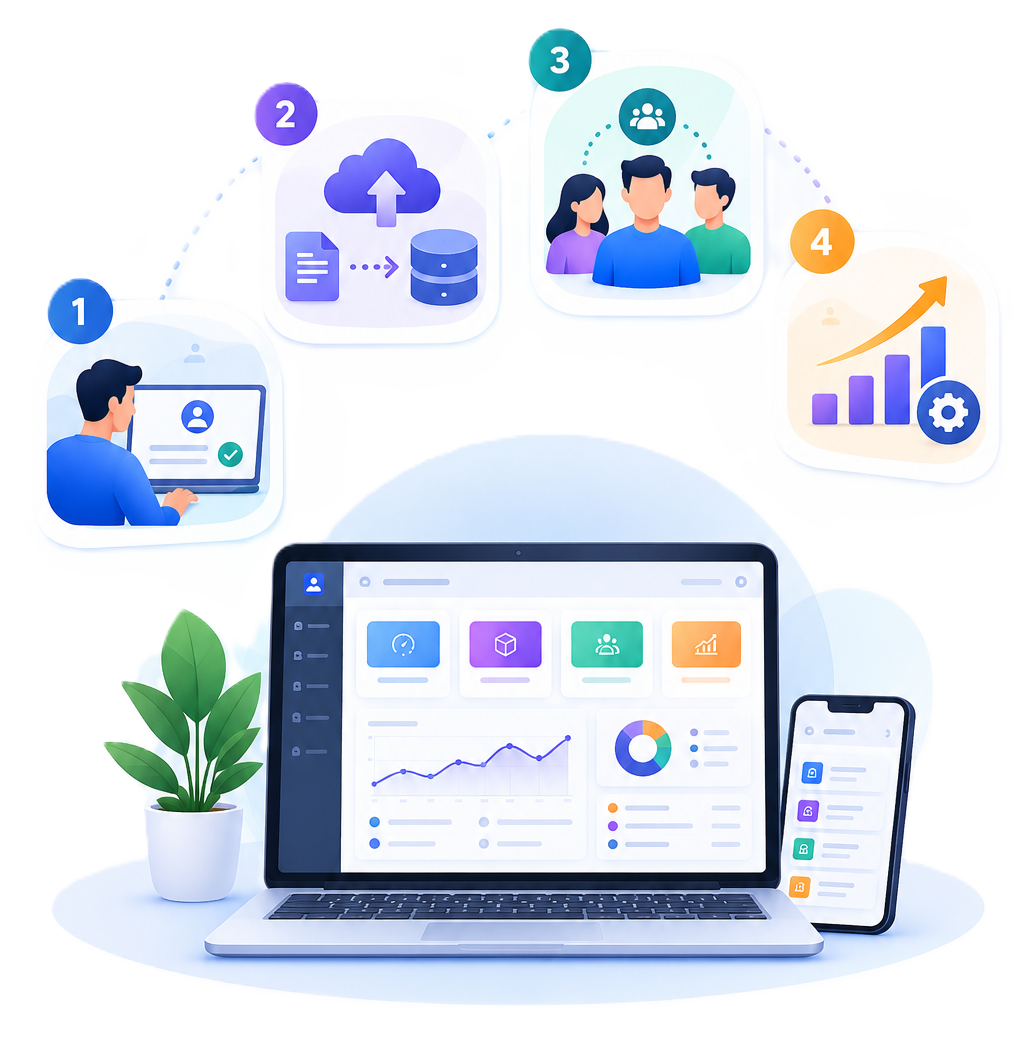
From Demo to Live in 4 Steps
Onboarding Call
Our team maps your business processes and configures Shadobooks around how you work, not a template.
Data Migration
We move your ledgers, items, vendors and customers cleanly with zero disruption to daily operations.
Team Training
Live hands-on training. Most users are comfortable by end of day one. It's that intuitive.
Go Live & Grow
Start invoicing, closing books and filing GST, with our Indian support team always available.

Frequently Asked Questions
The actual vs. budget report is one of the most valuable tools in Shadobooks. It pulls together actual costs from sales and receipts, BOQ figures, quantity survey data, variation records, and cost-to-complete calculations to show exactly how each project is performing financially. Project-wise profit and loss reports give a clear breakdown.
Absolutely. Shadobooks is designed for businesses managing multiple projects across different regions and locations. Projects can be created and categorized by region, with tasks and team members assigned to each. Similarly, the inventory module supports multiple warehouse management from a single dashboard, so stock levels, material movements, and procurement activities across all locations are tracked in real time.
The BOQ module in Shadobooks is deeply integrated with the quantity survey, variation tracking, and actual vs. budget report modules. Every BOQ entry — whether created manually or imported in bulk — becomes a reference point that links procurement, material consumption, and cost data together. When a BOQ number is selected during a purchase or sale transaction, the associated reports automatically update.
Yes, the contracting module in Shadobooks is comprehensive. It covers manpower management including employee ID, name, category, supplier or subcontractor details, rates, and document attachments. Payroll, payslips, and payroll history are all generated within the module. Daily reports on manpower deployment, equipment utilization, and productivity give site managers complete visibility over their field operations every single day.
In Shadobooks, inventory updates are triggered automatically by specific transaction events. On the purchase side, recording a GRN immediately updates inventory levels. On the sales side, recording a GDN adjusts inventory accordingly. When invoices are posted in either flow, all accounting reports — including profit and loss — are updated automatically.
Yes, the contracting module includes a dedicated trips management section. Every trip can be logged with the plate number, vehicle type, trip date, driver time, shift, project, locations, material carried, number of trips, distance, fuel cost, diesel used, and total cost. Additionally, the truck timesheet feature allows day and night shift details to be recorded per vehicle. Fuel prices and trip location rates can be pre-configured, making cost tracking accurate and effortless.
Yes. Shadobooks offers flexible accounting functionality that allows businesses to maintain ledgers, receipts, payments, and journals independently of the inventory modules. This makes the platform adaptable for construction companies that primarily need financial accounting and project management capabilities without requiring a full inventory setup from day one.
Yes. Purchase processes can use approval workflows so authorized employees can review and approve material requirements before purchasing.
Built for the Way
Your Business Works
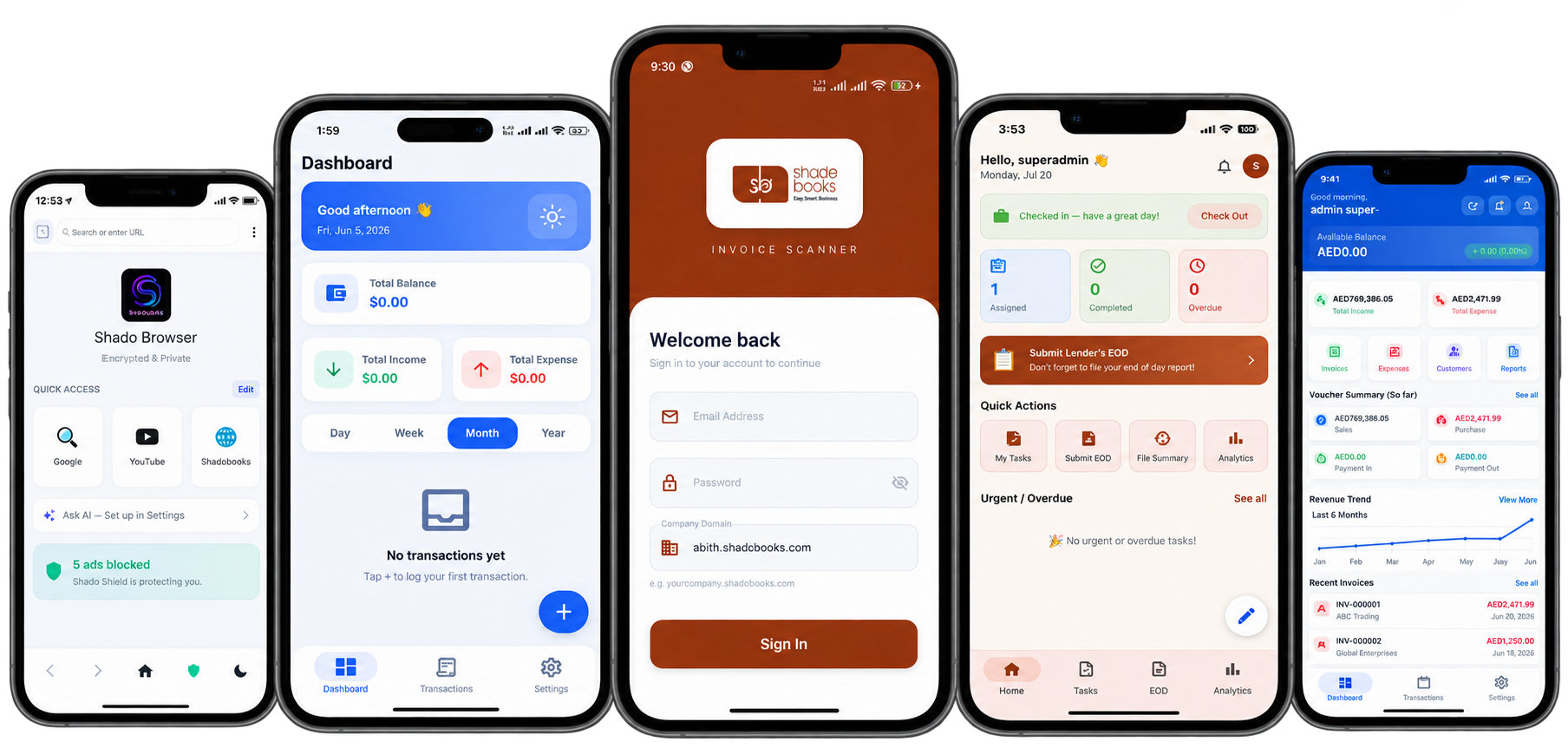
Bring structure to the way your business operates, from the first customer interaction to the final transaction.
What Construction Teams Say About Shadobooks
Take Control of Material
Costs and Project Budgets
Shadobooks is ready to show exactly how the platform fits the specific needs of any construction business, big or small.
Book Your Free DemoBuilt for Every Construction Business
General
Construction
01
MEP
Contracting
02
Infrastructure &
Road
Construction
03
Interior Fit-Out & Renovation
04
Oil & Gas
Construction
05
Facilities
Management
06
Landscaping &
Outdoor Construction
07
Property
Maintenance Services
08
Precast &
Prefabrication Construction
09
Renewable
Energy Construction
10
Marine &
Offshore Construction
11
Logistics &
Transportation Companies
12

Shadobooks ERP Solutions

The Financial Shadow of your Company